
New SDR
The latest addition is a KiwiSDR (see http://kiwisdr.com for details). This comes basically as a black box which just plugs into an RF antenna, a GPS antenna (puck-type supplied), a 5V PSU (I purchased their recommended one) and an Ethernet port. It boots, acquires an IP via DHCP and announces itself to the world. And I mean that literally - well, ok it doesn't shout, but it does gain a proxy address which is accessible from the Internet, not just locally. The kit I have came from Martin Lynch who had them in stock and it arrived next day.
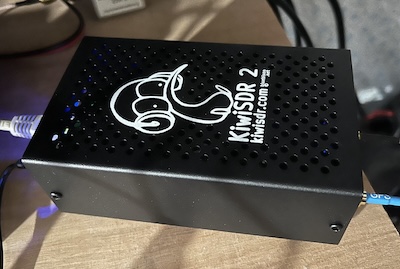
The setup instructions (http://kiwisdr.com/quickstart/) are easy to follow. Of course, the very first thing to do is change the admin password. Other than that I configured it to use my own URL as well as the proxy they provide, setting the relevant rule in the broadband router to allow access to port 8073. I am still customising it and as yet the antenna connected is a YouLoop which fairs better when connected to the Airspy HF+ Discovery. I have a Cross Country Wireless loop to set up which should provide for a better reception across HF. The KiwiSDR works from 0 to 30MHz.
As mentioned access is via a web browser and there are a number of options including different display modes as shown below.
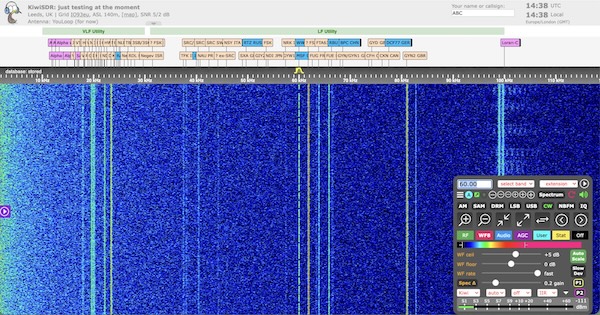
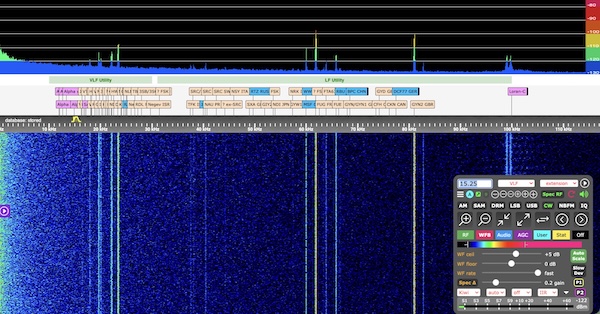
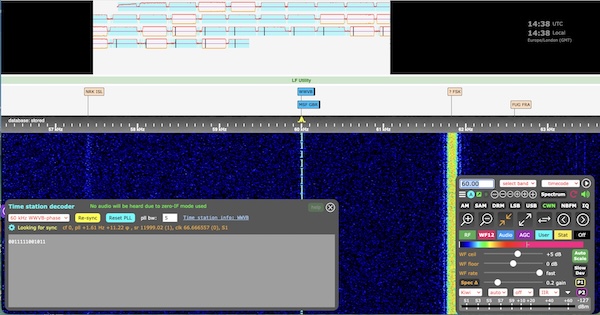
In additon there are extensions which provide for decoders, for example the following screenshot is a decode of the 60kHz time signal...
...and a decode of FT8 signals on 40m.
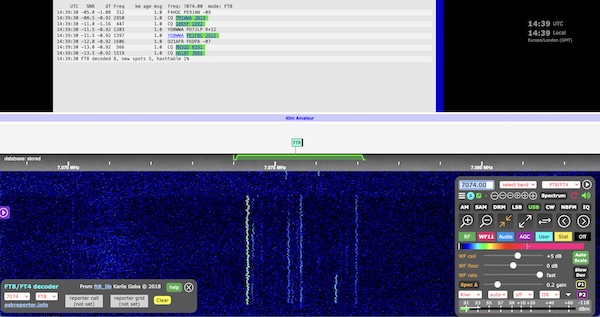
With the decoders and given the always-on nature it is very handy locally to see if it is actually worth turning the transceivers on, especially given what the sun is up to these days! I can see this being a very useful addition here in the shack.
As yet I have only scratched the surface of what the kit can do. Already someone has accessed it from the big wide world, ok, the UK and I have yet to advertise it. It does show on the map (https://rx.skywavelinux.com/) and the list of other receivers (http://kiwisdr.com/public/). otherwise, feel free, it can be accessed directly via http://m0rvb.net:8073/ - there will be a security warning as there is no SSL - something else to investigate.
There is one issue I have noticed though. It takes a good few seconds between accessing the web page to displaying the information via Safari - it seems ok with the Duck browser. Brave will not connect, probably due to my configuration as it insists on only allowing https. After engaging the old grey matter I turned off Apple's private relay and the display is then instant.