<?xml version="1.0" encoding="utf-8"?>
<feed xmlns="http://www.w3.org/2005/Atom" xmlns:media="http://search.yahoo.com/mrss/">
    <title>Mike Zero Romeo Victor Bravo</title>
    <link href="https://m0rvb.radio/feed.xml" rel="self" />
    <link href="https://m0rvb.radio" />
    <updated>2026-11-04T18:09:49+00:00</updated>
    <author>
        <name>M0RVB</name>
    </author>
    <id>https://m0rvb.radio</id>

    <entry>
        <title>Updating Allstar</title>
        <author>
            <name>M0RVB</name>
        </author>
        <link href="https://m0rvb.radio/updating-allstar.html"/>
        <id>https://m0rvb.radio/updating-allstar.html</id>
            <category term="Microhub"/>
            <category term="AllStarLink 3"/>
            <category term="AllStar"/>

        <updated>2026-11-04T18:09:49+00:00</updated>
            <summary type="html">
                <![CDATA[
                    I have a G7RPG microhub which has been running fine for a number of years but with the recent PHP security issues the operating system was rather out of date. I could not replace the version oh PHPand although it is not Internet accessible I do not like loose ends. I have been meaning to upgrade to AllStarLink 3 for a while so the PHP issue pushed it up the long list of things to do. AllStarLink does not use PHP but the web frontend on the microhub does. Installing AllStarLink 3 was pretty easy and there are detailed instructions for a Raspberry Pi installation like the microhub at https://allstarlink.github.io/allmon3/install/ -it coes as a complete package that is installed onto an SD Card so no need to first install an operating system. Plus it is a 64 bit o/s now. Setting it up was straightforward - I won't repeat it here because every system is dfferent and I may tell you the wrong things but in my case I use simpleUSB for the radio but bear in mind that the microhub was already set up and running anyway. The only thing I did to make things easier was to copy all of /srv, /etc and /usr/local from the original microhub so I could refer to settings later on. The one thing that caught me out was the microhub has a red/green/blue LED that is driven from a couple of GPIO pins. This was controlled by 'events' in Asterisk that ran one of four commands which, I believe were a part of the WiringPi package. Rather than installing that and figuring things out I elected to write some scripts to use the gpioset command and that goe a little messy as it needs to run as root plus the command does not exit. I had to use 'timeout' as well plus 'visudo' to enable the asterisk user to run the commands without needing a password. The last fiddle was getting the commands in the right place - at the end of /etc/asterisk/rpt.conf. I have not reinstalled the original web frontend from the microhub as I have not used it in a while. Nodes can be connected from the Allmon3 web frontend. I set up echolink which again was straightforward especially as I had the old config file to refer to.
                ]]>
            </summary>
        <content type="html">
            <![CDATA[
                <p>I have a G7RPG microhub which has been running fine for a number of years but with the recent PHP security issues the operating system was rather out of date. I could not replace the version oh PHPand although it is not Internet accessible I do not like loose ends.</p>
<p>I have been meaning to upgrade to AllStarLink 3 for a while so the PHP issue pushed it up the long list of things to do. AllStarLink does not use PHP but the web frontend on the microhub does.</p>
<p>Installing AllStarLink 3 was pretty easy and there are detailed instructions for a Raspberry Pi installation like the microhub at <a href="https://allstarlink.github.io/allmon3/install/">http</a><a href="https://allstarlink.github.io/install/pi-appliance/">s://allstarlink.github.io/allmon3/install/</a> -it coes as a complete package that is installed onto an SD Card so no need to first install an operating system. Plus it is a 64 bit o/s now. </p>
<p>Setting it up was straightforward - I won't repeat it here because every system is dfferent and I may tell you the wrong things but in my case I use simpleUSB for the radio but bear in mind that the microhub was already set up and running anyway. The only thing I did to make things easier was to copy all of /srv, /etc and /usr/local from the original microhub so I could refer to settings later on.</p>
<p>The one thing that caught me out was the microhub has a red/green/blue LED that is driven from a couple of GPIO pins. This was controlled by 'events' in Asterisk that ran one of four commands which, I believe were a part of the WiringPi package. Rather than installing that and figuring things out I elected to write some scripts to use the gpioset command and that goe a little messy as it needs to run as root plus the command does not exit. I had to use 'timeout' as well plus 'visudo' to enable the asterisk user to run the commands without needing a password. The last fiddle was getting the commands in the right place - at the end of /etc/asterisk/rpt.conf.</p>
<p>I have not reinstalled the original web frontend from the microhub as I have not used it in a while. Nodes can be connected from the Allmon3 web frontend.</p>
<p>I set up echolink which again was straightforward especially as I had the old config file to refer to.</p>
            ]]>
        </content>
    </entry>
    <entry>
        <title>UmKA-1 SSTV</title>
        <author>
            <name>M0RVB</name>
        </author>
        <link href="https://m0rvb.radio/umka-1-sstv.html"/>
        <id>https://m0rvb.radio/umka-1-sstv.html</id>
            <category term="SSTV"/>
            <category term="LEO"/>
            <category term="Cubesat"/>
            <category term="AMSAT"/>

        <updated>2026-10-29T15:54:09+00:00</updated>
            <summary type="html">
                <![CDATA[
                    I came across a post about the UmKA-1 (RS40S) cubesat and it broadcasting SSTV images - nearly missed it, I must read more as I usually only take notice of the ISS events. Anyway, I managed to receive two pictures, one sadly not so good. I missed one pass that would have been good, at least it sounded good on the TS2000X but the PC's USB ports had decided they did not want to play. Grumble. But here are the two images I did get: Info on the cubesat can be found at https://db.satnogs.org/satellite/SDUV-9624-5611-1090-5908
                ]]>
            </summary>
        <content type="html">
            <![CDATA[
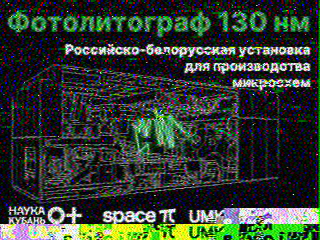
                <p>I came across a post about the UmKA-1 (RS40S) cubesat and it broadcasting SSTV images - nearly missed it, I must read more as I usually only take notice of the ISS events. Anyway, I managed to receive two pictures, one sadly not so good. I missed one pass that would have been good, at least it sounded good on the TS2000X but the PC's USB ports had decided they did not want to play. Grumble. But here are the two images I did get:</p>
<figure class="post__image"><img  src="https://m0rvb.radio/media/posts/377/20261028_210251Z_UmKA-1_Robot36.png" alt="An SSTV image from the RS40S / UmKA-1 cubesat" width="320" height="240" sizes="(max-width: 1920px) 100vw, 1920px" srcset="https://m0rvb.radio/media/posts/377/responsive/20261028_210251Z_UmKA-1_Robot36-xs.png 640w ,https://m0rvb.radio/media/posts/377/responsive/20261028_210251Z_UmKA-1_Robot36-sm.png 768w ,https://m0rvb.radio/media/posts/377/responsive/20261028_210251Z_UmKA-1_Robot36-md.png 1024w ,https://m0rvb.radio/media/posts/377/responsive/20261028_210251Z_UmKA-1_Robot36-lg.png 1366w ,https://m0rvb.radio/media/posts/377/responsive/20261028_210251Z_UmKA-1_Robot36-xl.png 1600w ,https://m0rvb.radio/media/posts/377/responsive/20261028_210251Z_UmKA-1_Robot36-2xl.png 1920w"></figure> <figure class="post__image"><img loading="lazy"  src="https://m0rvb.radio/media/posts/377/20261029_095804Z_UmKA-1_Robot36.png" alt="An SSTV image from the RS40S / UmKA-1 cubesat" width="320" height="240" sizes="(max-width: 1920px) 100vw, 1920px" srcset="https://m0rvb.radio/media/posts/377/responsive/20261029_095804Z_UmKA-1_Robot36-xs.png 640w ,https://m0rvb.radio/media/posts/377/responsive/20261029_095804Z_UmKA-1_Robot36-sm.png 768w ,https://m0rvb.radio/media/posts/377/responsive/20261029_095804Z_UmKA-1_Robot36-md.png 1024w ,https://m0rvb.radio/media/posts/377/responsive/20261029_095804Z_UmKA-1_Robot36-lg.png 1366w ,https://m0rvb.radio/media/posts/377/responsive/20261029_095804Z_UmKA-1_Robot36-xl.png 1600w ,https://m0rvb.radio/media/posts/377/responsive/20261029_095804Z_UmKA-1_Robot36-2xl.png 1920w"></figure>
<p>Info on the cubesat can be found at <a href="https://db.satnogs.org/satellite/SDUV-9624-5611-1090-5908">https://db.satnogs.org/satellite/SDUV-9624-5611-1090-5908</a></p>
<p> </p>
            ]]>
        </content>
    </entry>
    <entry>
        <title>SAQ UN-day broadcast</title>
        <author>
            <name>M0RVB</name>
        </author>
        <link href="https://m0rvb.radio/saq-un-day-broadcast.html"/>
        <id>https://m0rvb.radio/saq-un-day-broadcast.html</id>
            <category term="VLF"/>
            <category term="SAQ"/>

        <updated>2026-10-24T15:31:54+01:00</updated>
            <summary type="html">
                <![CDATA[
                    Another successful reception of SAQ on 17.2kHz today. As usual this was via SDR++ on the Mac using an AirSpy HF+ Discovery and a YouLoop antenna in the loft roughly aimed at SAQ. Today's broadcast was for UN Day. The screenshot below shows the first signals while the transmitter was being set up. The next screenshot is mid-broadcast: And finally the end of transmission. The event was livestreamed on YouTube and recordings etc. can be found at https://www.youtube.com/c/AlexanderSAQ
                ]]>
            </summary>
        <content type="html">
            <![CDATA[
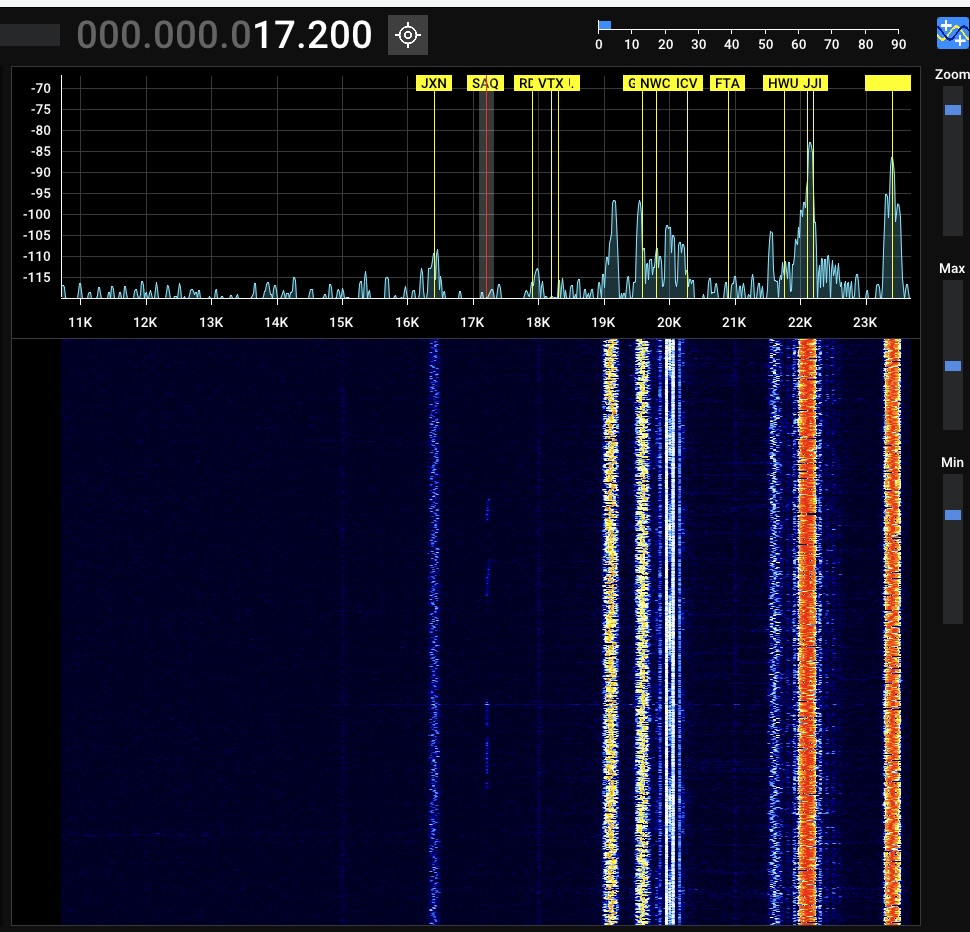
                <p>Another successful reception of SAQ on 17.2kHz today. As usual this was via SDR++ on the Mac using an AirSpy HF+ Discovery and a YouLoop antenna in the loft roughly aimed at SAQ. Today's broadcast was for UN Day. The screenshot below shows the first signals while the transmitter was being set up.</p>
<figure class="post__image"><img loading="lazy"  src="https://m0rvb.radio/media/posts/376/Screenshot-2026-10-24-at-13.45.33.jpeg" alt="A screenshot of the transmission from SAQ plus various other nearby station" width="970" height="932" sizes="(max-width: 1920px) 100vw, 1920px" srcset="https://m0rvb.radio/media/posts/376/responsive/Screenshot-2026-10-24-at-13.45.33-xs.jpeg 640w ,https://m0rvb.radio/media/posts/376/responsive/Screenshot-2026-10-24-at-13.45.33-sm.jpeg 768w ,https://m0rvb.radio/media/posts/376/responsive/Screenshot-2026-10-24-at-13.45.33-md.jpeg 1024w ,https://m0rvb.radio/media/posts/376/responsive/Screenshot-2026-10-24-at-13.45.33-lg.jpeg 1366w ,https://m0rvb.radio/media/posts/376/responsive/Screenshot-2026-10-24-at-13.45.33-xl.jpeg 1600w ,https://m0rvb.radio/media/posts/376/responsive/Screenshot-2026-10-24-at-13.45.33-2xl.jpeg 1920w"></figure>
<p> </p>
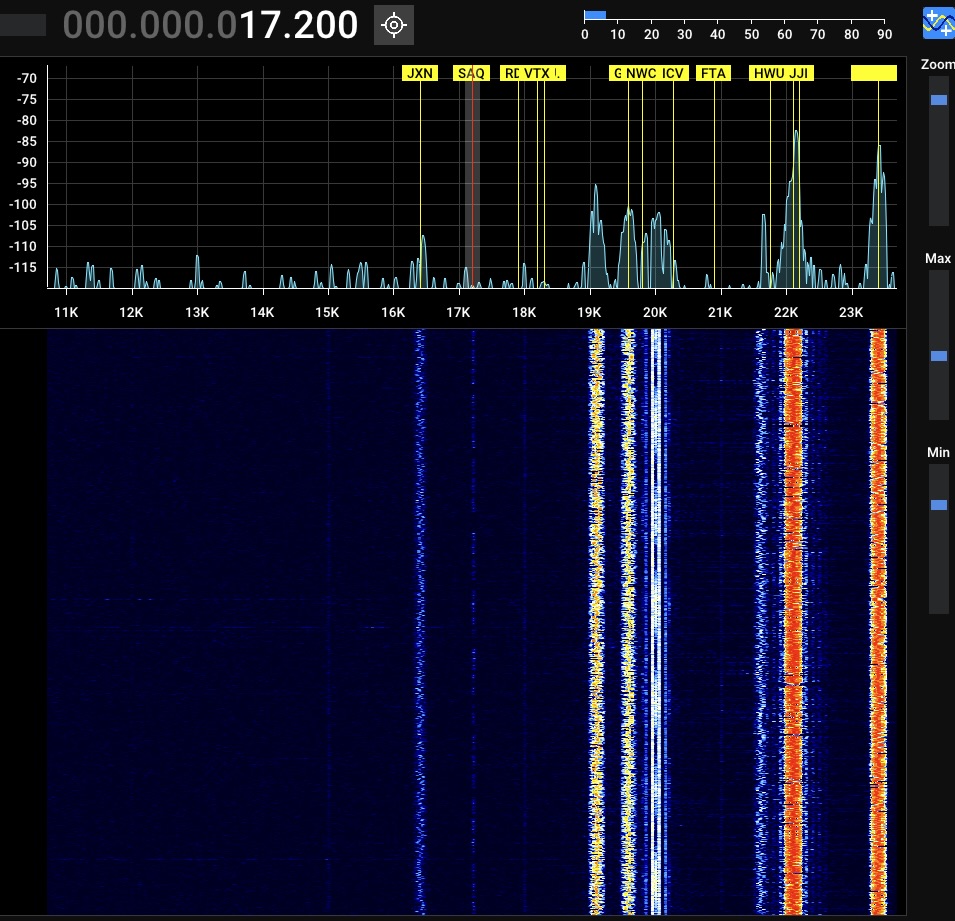
<p>The next screenshot is mid-broadcast:</p>
<figure class="post__image"><img loading="lazy"  src="https://m0rvb.radio/media/posts/376/Screenshot-2026-10-24-at-13.48.00.jpeg" alt="A screenshot of the transmission from SAQ plus various other nearby station" width="955" height="921" sizes="(max-width: 1920px) 100vw, 1920px" srcset="https://m0rvb.radio/media/posts/376/responsive/Screenshot-2026-10-24-at-13.48.00-xs.jpeg 640w ,https://m0rvb.radio/media/posts/376/responsive/Screenshot-2026-10-24-at-13.48.00-sm.jpeg 768w ,https://m0rvb.radio/media/posts/376/responsive/Screenshot-2026-10-24-at-13.48.00-md.jpeg 1024w ,https://m0rvb.radio/media/posts/376/responsive/Screenshot-2026-10-24-at-13.48.00-lg.jpeg 1366w ,https://m0rvb.radio/media/posts/376/responsive/Screenshot-2026-10-24-at-13.48.00-xl.jpeg 1600w ,https://m0rvb.radio/media/posts/376/responsive/Screenshot-2026-10-24-at-13.48.00-2xl.jpeg 1920w"></figure>
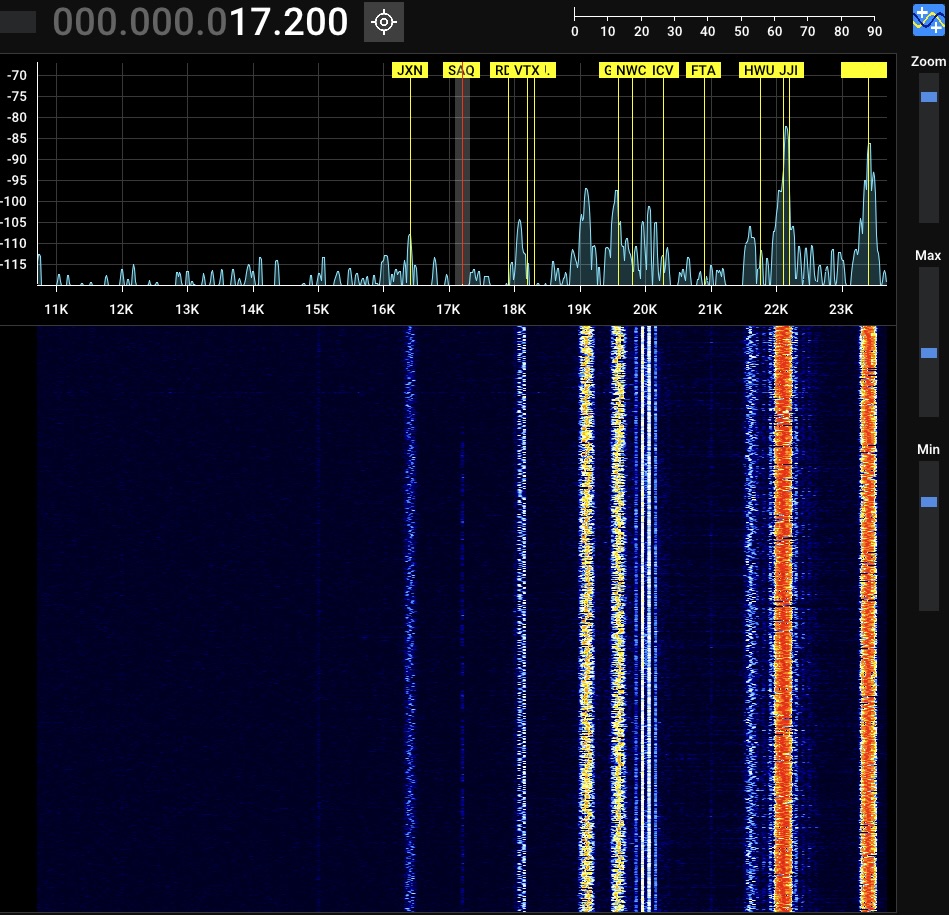
<p>And finally the end of transmission.</p>
<figure class="post__image"><img loading="lazy"  src="https://m0rvb.radio/media/posts/376/Screenshot-2026-10-24-at-14.07.57.jpeg" alt="A screenshot of the transmission from SAQ plus various other nearby station" width="949" height="915" sizes="(max-width: 1920px) 100vw, 1920px" srcset="https://m0rvb.radio/media/posts/376/responsive/Screenshot-2026-10-24-at-14.07.57-xs.jpeg 640w ,https://m0rvb.radio/media/posts/376/responsive/Screenshot-2026-10-24-at-14.07.57-sm.jpeg 768w ,https://m0rvb.radio/media/posts/376/responsive/Screenshot-2026-10-24-at-14.07.57-md.jpeg 1024w ,https://m0rvb.radio/media/posts/376/responsive/Screenshot-2026-10-24-at-14.07.57-lg.jpeg 1366w ,https://m0rvb.radio/media/posts/376/responsive/Screenshot-2026-10-24-at-14.07.57-xl.jpeg 1600w ,https://m0rvb.radio/media/posts/376/responsive/Screenshot-2026-10-24-at-14.07.57-2xl.jpeg 1920w"></figure>
<p>The event was livestreamed on YouTube and recordings etc. can be found at <a href="https://www.youtube.com/c/AlexanderSAQ">https://www.youtube.com/c/AlexanderSAQ</a></p>
<p> </p>
            ]]>
        </content>
    </entry>
    <entry>
        <title>ISS SSTV 23/10/26 (updated)</title>
        <author>
            <name>M0RVB</name>
        </author>
        <link href="https://m0rvb.radio/iss-sstv-231026.html"/>
        <id>https://m0rvb.radio/iss-sstv-231026.html</id>
            <category term="SSTV"/>
            <category term="OscarWatch"/>
            <category term="ISS"/>
            <category term="ARISS"/>

        <updated>2026-10-23T10:50:53+01:00</updated>
            <summary type="html">
                <![CDATA[
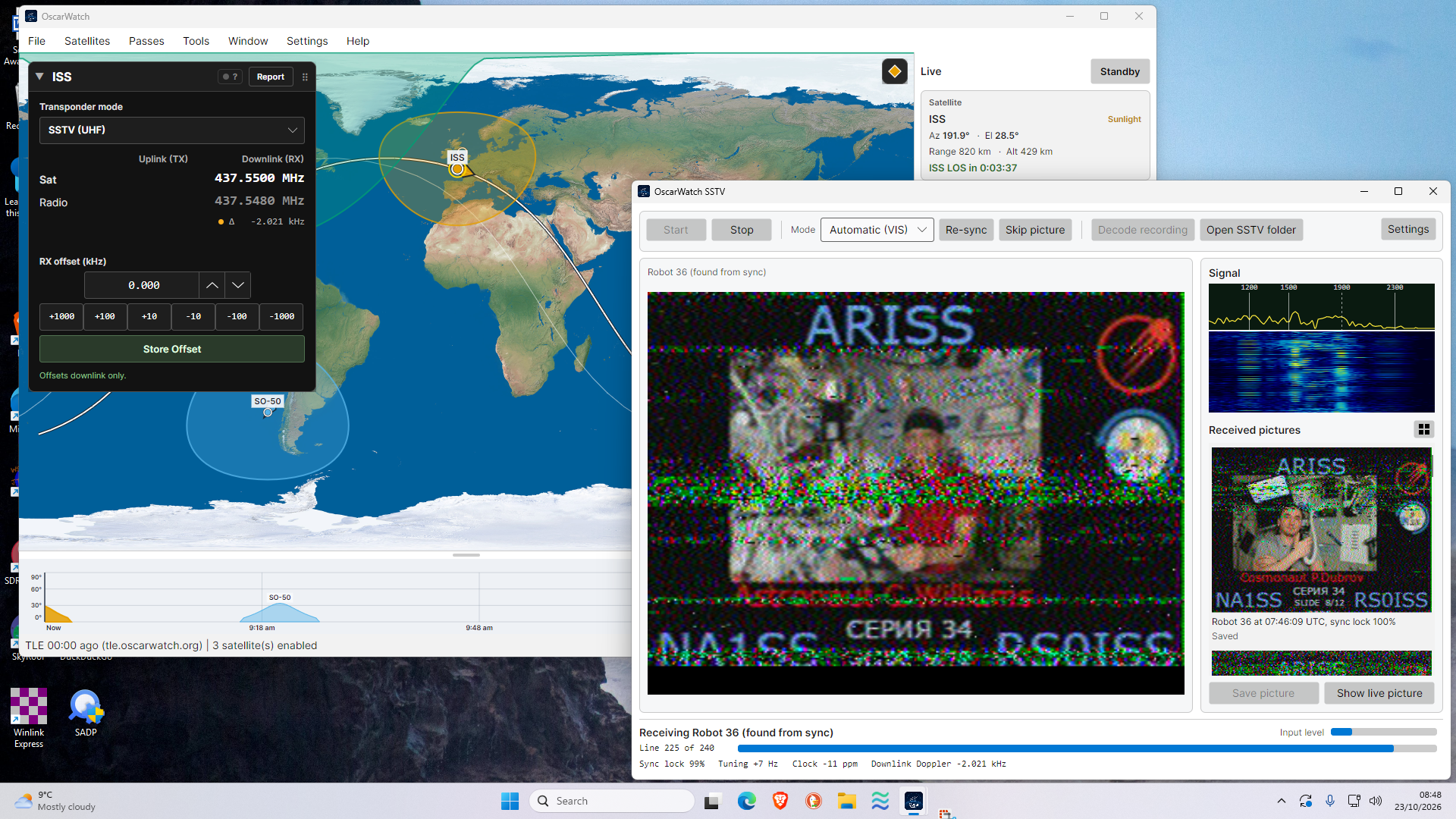
                    The OscarWatch software now has an SSTV module built in. Here is a screenshot of the reception of an SSTV image from the ISS taken on 23/Oct/2026 at 08:48:47 UTC. The equipment involved is the usual TS2000X and QFH in the loft. I also recorded it on the Linux PC via QSSTV and audio via the mixer. OscarWatch handles the doppler tracking. I managed to receive six of the twelve images: 1, 2, 7, 8, 9 and 12:
                ]]>
            </summary>
        <content type="html">
            <![CDATA[
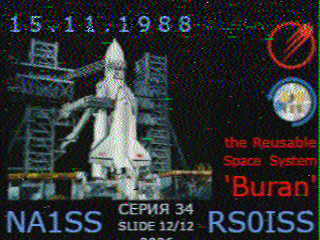
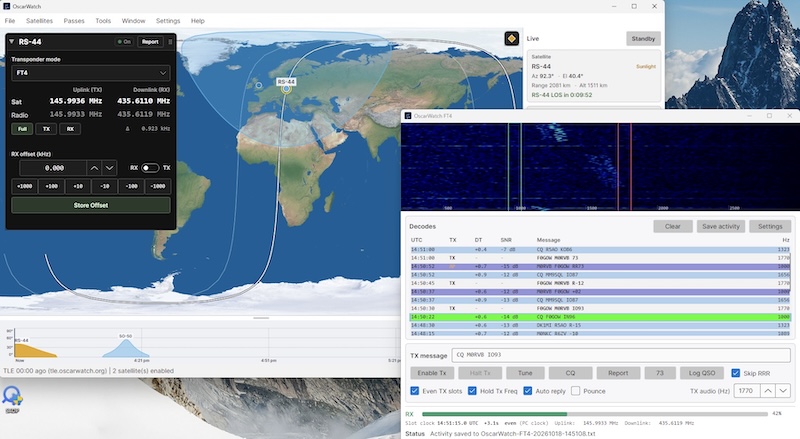
                <p>The OscarWatch software now has an SSTV module built in. Here is a screenshot of the reception of an SSTV image from the ISS taken on 23/Oct/2026 at 08:48:47 UTC.</p>
<figure class="post__image"><img loading="lazy"  src="https://m0rvb.radio/media/posts/375/Screenshot-2026-10-23-084847.png" alt="A screenshot of the OscarWatch software showing an image capture with ARISS and NA1SS RS0ISS plus the track of ISS on a map" width="1920" height="1080" sizes="(max-width: 1920px) 100vw, 1920px" srcset="https://m0rvb.radio/media/posts/375/responsive/Screenshot-2026-10-23-084847-xs.png 640w ,https://m0rvb.radio/media/posts/375/responsive/Screenshot-2026-10-23-084847-sm.png 768w ,https://m0rvb.radio/media/posts/375/responsive/Screenshot-2026-10-23-084847-md.png 1024w ,https://m0rvb.radio/media/posts/375/responsive/Screenshot-2026-10-23-084847-lg.png 1366w ,https://m0rvb.radio/media/posts/375/responsive/Screenshot-2026-10-23-084847-xl.png 1600w ,https://m0rvb.radio/media/posts/375/responsive/Screenshot-2026-10-23-084847-2xl.png 1920w"></figure>
<p>The equipment involved is the usual TS2000X and QFH in the loft. I also recorded it on the Linux PC via QSSTV and audio via the mixer. OscarWatch handles the doppler tracking.</p>
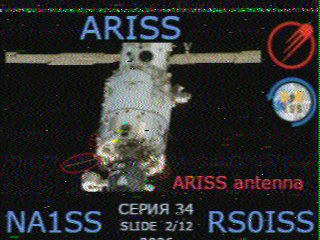
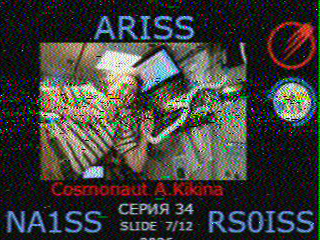
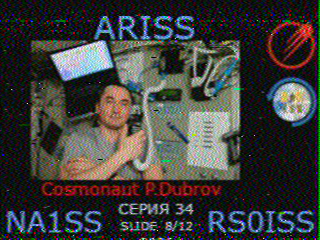
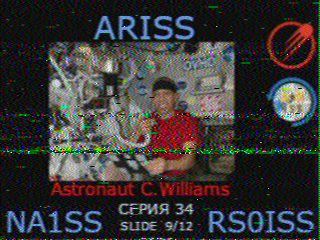
<p>I managed to receive six of the twelve images: 1, 2, 7, 8, 9 and 12:</p>
<figure class="post__image"><img  src="https://m0rvb.radio/media/posts/375/1.png" alt="An SSTV image from the ISS" width="320" height="240" sizes="(max-width: 1920px) 100vw, 1920px" srcset="https://m0rvb.radio/media/posts/375/responsive/1-xs.png 640w ,https://m0rvb.radio/media/posts/375/responsive/1-sm.png 768w ,https://m0rvb.radio/media/posts/375/responsive/1-md.png 1024w ,https://m0rvb.radio/media/posts/375/responsive/1-lg.png 1366w ,https://m0rvb.radio/media/posts/375/responsive/1-xl.png 1600w ,https://m0rvb.radio/media/posts/375/responsive/1-2xl.png 1920w"></figure> <figure class="post__image"><img loading="lazy"  src="https://m0rvb.radio/media/posts/375/2.png" alt="An SSTV image from the ISS" width="320" height="240" sizes="(max-width: 1920px) 100vw, 1920px" srcset="https://m0rvb.radio/media/posts/375/responsive/2-xs.png 640w ,https://m0rvb.radio/media/posts/375/responsive/2-sm.png 768w ,https://m0rvb.radio/media/posts/375/responsive/2-md.png 1024w ,https://m0rvb.radio/media/posts/375/responsive/2-lg.png 1366w ,https://m0rvb.radio/media/posts/375/responsive/2-xl.png 1600w ,https://m0rvb.radio/media/posts/375/responsive/2-2xl.png 1920w"></figure> <figure class="post__image"><img  src="https://m0rvb.radio/media/posts/375/7.png" alt="An SSTV image from the ISS" width="320" height="240" sizes="(max-width: 1920px) 100vw, 1920px" srcset="https://m0rvb.radio/media/posts/375/responsive/7-xs.png 640w ,https://m0rvb.radio/media/posts/375/responsive/7-sm.png 768w ,https://m0rvb.radio/media/posts/375/responsive/7-md.png 1024w ,https://m0rvb.radio/media/posts/375/responsive/7-lg.png 1366w ,https://m0rvb.radio/media/posts/375/responsive/7-xl.png 1600w ,https://m0rvb.radio/media/posts/375/responsive/7-2xl.png 1920w"></figure> <figure class="post__image"><img loading="lazy"  src="https://m0rvb.radio/media/posts/375/8.png" alt="An SSTV image from the ISS" width="320" height="240" sizes="(max-width: 1920px) 100vw, 1920px" srcset="https://m0rvb.radio/media/posts/375/responsive/8-xs.png 640w ,https://m0rvb.radio/media/posts/375/responsive/8-sm.png 768w ,https://m0rvb.radio/media/posts/375/responsive/8-md.png 1024w ,https://m0rvb.radio/media/posts/375/responsive/8-lg.png 1366w ,https://m0rvb.radio/media/posts/375/responsive/8-xl.png 1600w ,https://m0rvb.radio/media/posts/375/responsive/8-2xl.png 1920w"></figure> <figure class="post__image"><img  src="https://m0rvb.radio/media/posts/375/9.png" alt="An SSTV image from the ISS" width="320" height="240" sizes="(max-width: 1920px) 100vw, 1920px" srcset="https://m0rvb.radio/media/posts/375/responsive/9-xs.png 640w ,https://m0rvb.radio/media/posts/375/responsive/9-sm.png 768w ,https://m0rvb.radio/media/posts/375/responsive/9-md.png 1024w ,https://m0rvb.radio/media/posts/375/responsive/9-lg.png 1366w ,https://m0rvb.radio/media/posts/375/responsive/9-xl.png 1600w ,https://m0rvb.radio/media/posts/375/responsive/9-2xl.png 1920w"></figure> <figure class="post__image"><img loading="lazy"  src="https://m0rvb.radio/media/posts/375/12.png" alt="An SSTV image from the ISS" width="320" height="240" sizes="(max-width: 1920px) 100vw, 1920px" srcset="https://m0rvb.radio/media/posts/375/responsive/12-xs.png 640w ,https://m0rvb.radio/media/posts/375/responsive/12-sm.png 768w ,https://m0rvb.radio/media/posts/375/responsive/12-md.png 1024w ,https://m0rvb.radio/media/posts/375/responsive/12-lg.png 1366w ,https://m0rvb.radio/media/posts/375/responsive/12-xl.png 1600w ,https://m0rvb.radio/media/posts/375/responsive/12-2xl.png 1920w"></figure>
            ]]>
        </content>
    </entry>
    <entry>
        <title>IT woes</title>
        <author>
            <name>M0RVB</name>
        </author>
        <link href="https://m0rvb.radio/it-woes.html"/>
        <id>https://m0rvb.radio/it-woes.html</id>
            <category term="deskflow"/>
            <category term="Windows 11"/>
            <category term="MacOS"/>
            <category term="Lubuntu"/>
            <category term="Barrier"/>

        <updated>2026-10-23T09:54:13+01:00</updated>
            <summary type="html">
                <![CDATA[
                    After sorting out the issues regarding the eMudrha digital cetificate mess where some of my kit needed updating by hand, plus sorting out PHP upgrades on a couple of internal systems I turned my attention to the impending MacOS upgrade from 26.x to 27.x. For a while now the Mac has been warning that some applications will no longer be supported. It looks like from MacOS 28.x onwards there will be no further support for Intel chips. Now, I have a Mac Mini with an Apple M2 chip so why does that bother me? It's because some applications were written for Intel and were using Apple's Rosetta glue-ware to translate their code and Rosetta will stop when MacOS 28 comes ( https://support.apple.com/en-us/102527 ) The only (as far as I know anyway!) issue I will have is that I use Barrier to allow the Mac to act as keyboard and mouse to other systems. Specifically I have a Windows 11 PC, the Mac and a Linux PC with the Mac in the middle. This gives me three screens, one each controlling the TS2000X and the FT450D, with the Mac being my main workhorse plus it has the two AirSPY SDRs attached. Audio inputs and outputs from each go via a mixer and a splitter making it an any-to-any setup. Barrier has not been updated for some years and is written for Intel architecture. So that stops when MacOS 28 hits. Anyway... there is a more modern software called deskflow ( https://github.com/deskflow/deskflow ) which is effectively a Barrier replacement and is being maintained. The software installed fine on the Mac and the Windows PC - Barrier had to be stopped first and so I needed to find a keyboard and mouse for the Windows box in order to set things up. On to the Linux box... no software release for the 24.04 version installed there. Hmmm. Oh well I did plan to upgrade to 26.04 anyway so may as well do that first. I've used do-release-upgrade before and all seemed ok, all until reboot. error: symbol 'grub_memcpy' not found Oh, joy. I vaguelly remember this happening before but I have no notes. At this stage it is worth mentioning that I think the global dash to get everything into AI is badly thought out and that peope may lose the ability to think and reason for themselves. Having spent my working life in higher education I've see the effect on students in the early days of IT. But I used duck.ai which was incredibly helpful in advising me things to try and do and whereas none of it was confusing with my IT background it helped enormously... Advice in hand, all sugestions exhausted I generated a Lubunto 26.04 DVD, booted the PC into 'Try it' mode and used this, plus instructions from duck.ai to replace Grub and fix the issue. After that hiatus the deskflow software went in fine and all is well... and documented!! Now all I need to do is&hellip;
                ]]>
            </summary>
        <content type="html">
            <![CDATA[
                <p>After sorting out the issues regarding the eMudrha digital cetificate mess where some of my kit needed updating by hand, plus sorting out PHP upgrades on a couple of internal systems I turned my attention to the impending MacOS upgrade from 26.x to 27.x.</p>
<p>For a while now the Mac has been warning that some applications will no longer be supported. It looks like from MacOS 28.x onwards there will be no further support for Intel chips. Now, I have a Mac Mini with an Apple M2 chip so why does that bother me? It's because some applications were written for Intel and were using Apple's Rosetta glue-ware to translate their code and Rosetta will stop when MacOS 28 comes ( <a href="https://support.apple.com/en-us/102527">https://support.apple.com/en-us/102527</a> )</p>
<p>The only (as far as I know anyway!) issue I will have is that I use Barrier to allow the Mac to act as keyboard and mouse to other systems. Specifically I have a Windows 11 PC, the Mac and a Linux PC with the Mac in the middle. This gives me three screens, one each controlling the TS2000X and the FT450D, with the Mac being my main workhorse plus it has the two AirSPY SDRs attached. Audio inputs and outputs from each go via a mixer and a splitter making it an any-to-any setup. Barrier has not been updated for some years and is written for Intel architecture. So that stops when MacOS 28 hits.</p>
<p>Anyway... there is a more modern software called deskflow ( <a href="https://github.com/deskflow/deskflow">https://github.com/deskflow/deskflow</a> ) which is effectively a Barrier replacement and is being maintained. The software installed fine on the Mac and the Windows PC - Barrier had to be stopped first and so I needed to find a keyboard and mouse for the Windows box in order to set things up. On to the Linux box... no software release for the 24.04 version installed there. Hmmm.</p>
<p>Oh well I did plan to upgrade to 26.04 anyway so may as well do that first. I've used do-release-upgrade before and all seemed ok, all until reboot.</p>
<p><code>error: symbol 'grub_memcpy' not found</code></p>
<p>Oh, joy. I vaguelly remember this happening before but I have no notes. At this stage it is worth mentioning that I think the global dash to get everything into AI is badly thought out and that peope may lose the ability to think and reason for themselves. Having spent my working life in higher education I've see the effect on students in the early days of IT. But I used duck.ai which was incredibly helpful in advising me things to try and do and whereas none of it was confusing with my IT background it helped enormously...</p>
<p>Advice in hand, all sugestions exhausted I generated a Lubunto 26.04 DVD, booted the PC into 'Try it' mode and used this, plus instructions from duck.ai to replace Grub and fix the issue.</p>
<p>After that hiatus the deskflow software went in fine and all is well... and documented!! Now all I need to do is upgrade the Mac but that can wait until the current ISS SSTV and tomorrow's SAQ broadcast are over.</p>
            ]]>
        </content>
    </entry>
    <entry>
        <title>My first LEO QSO</title>
        <author>
            <name>M0RVB</name>
        </author>
        <link href="https://m0rvb.radio/my-first-leo-qso.html"/>
        <id>https://m0rvb.radio/my-first-leo-qso.html</id>
            <category term="LEO"/>
            <category term="FT4"/>
            <category term="AMSAT"/>

        <updated>2026-10-18T17:29:24+01:00</updated>
            <summary type="html">
                <![CDATA[
                    My first LEO contact... FT4 from the RS-44 satellite (https://amsat-uk.org/tag/rs-44/). The software used in the excellent OscarWatch software from MM9SQL running, in my case on Windows 11. The software and information can be found at https://oscarwatch.org/. My rather simple (these days!) brain found the software very intuitive (after I bothered to read the basic info!) and easy to set up. The software drives the TS2000X directly, putting it into Sat mode and handling the VHF and UHF VFOs and modes. Audio interfacing is via the SignaLink and the antenna is the usual QFH in the loft. Among other things it has FT4 built in and will report to Pskreporter and the OscarWatch website, the latter having a spot facility at https://oscarwatch.org/spots. It logs completed FT4 QSOs automatically and will export as ADIF as well as uploading directly to QRZ, Cloudlog (also from MM9SQL) and others. The other thing of note is I have started to use data from the MQTT feed of pskreporter. This comes courtesy of M0LTE and information can be found at https://www.mqtt.pskreporter.info/. I wrote some PHP that subscribes and lists out any reception reports. This makes a handy reference rather than keeping a window open constantly polling for data. These three lines are from my RS-44 activity that gained the above QSO.

                ]]>
            </summary>
        <content type="html">
            <![CDATA[
                <p>My first LEO contact... FT4 from the RS-44 satellite (<a href="https://amsat-uk.org/tag/rs-44/">https://amsat-uk.org/tag/rs-44/</a>). The software used in the excellent OscarWatch software from MM9SQL running, in my case on Windows 11. The software and information can be found at <a href="https://oscarwatch.org/">https://oscarwatch.org/</a>. My rather simple (these days!) brain found the software very intuitive (after I bothered to read the basic info!) and easy to set up.</p>
<figure class="post__image"><img loading="lazy"  src="https://m0rvb.radio/media/posts/373/Screenshot-2026-10-18-155121.jpeg" alt="A screenshot of the OscarWatch software showing a map of the Earth with the orbit and position of RS-44. There is a panel top left showing transponder information and one bottom right showing FT4 traces and QSO details." width="800" height="439" sizes="(max-width: 1920px) 100vw, 1920px" srcset="https://m0rvb.radio/media/posts/373/responsive/Screenshot-2026-10-18-155121-xs.jpeg 640w ,https://m0rvb.radio/media/posts/373/responsive/Screenshot-2026-10-18-155121-sm.jpeg 768w ,https://m0rvb.radio/media/posts/373/responsive/Screenshot-2026-10-18-155121-md.jpeg 1024w ,https://m0rvb.radio/media/posts/373/responsive/Screenshot-2026-10-18-155121-lg.jpeg 1366w ,https://m0rvb.radio/media/posts/373/responsive/Screenshot-2026-10-18-155121-xl.jpeg 1600w ,https://m0rvb.radio/media/posts/373/responsive/Screenshot-2026-10-18-155121-2xl.jpeg 1920w"></figure>
<p>The software drives the TS2000X directly, putting it into Sat mode and handling the VHF and UHF VFOs and modes. Audio interfacing is via the SignaLink and the antenna is the usual QFH in the loft.</p>
<p>Among other things it has FT4 built in and will report to Pskreporter and the OscarWatch website, the latter having a spot facility at <a href="https://oscarwatch.org/spots">https://oscarwatch.org/spots</a>. It logs completed FT4 QSOs automatically and will export as ADIF as well as uploading directly to QRZ, Cloudlog (also from MM9SQL) and others.</p>
<p>The other thing of note is I have started to use data from the MQTT feed of pskreporter. This comes courtesy of M0LTE and information can be found at <a href="https://www.mqtt.pskreporter.info/">https://www.mqtt.pskreporter.info/</a>. I wrote some PHP that subscribes and lists out any reception reports. This makes a handy reference rather than keeping a window open constantly polling for data.</p>
<figure class="post__image"><img loading="lazy"  src="https://m0rvb.radio/media/posts/373/Screenshot-2026-10-18-at-16.17.41.jpeg" alt="A screenshot of three lines of QSO detail" width="600" height="53" sizes="(max-width: 1920px) 100vw, 1920px" srcset="https://m0rvb.radio/media/posts/373/responsive/Screenshot-2026-10-18-at-16.17.41-xs.jpeg 640w ,https://m0rvb.radio/media/posts/373/responsive/Screenshot-2026-10-18-at-16.17.41-sm.jpeg 768w ,https://m0rvb.radio/media/posts/373/responsive/Screenshot-2026-10-18-at-16.17.41-md.jpeg 1024w ,https://m0rvb.radio/media/posts/373/responsive/Screenshot-2026-10-18-at-16.17.41-lg.jpeg 1366w ,https://m0rvb.radio/media/posts/373/responsive/Screenshot-2026-10-18-at-16.17.41-xl.jpeg 1600w ,https://m0rvb.radio/media/posts/373/responsive/Screenshot-2026-10-18-at-16.17.41-2xl.jpeg 1920w"></figure>
<p>These three lines are from my RS-44 activity that gained the above QSO.</p>
<p> </p>
            ]]>
        </content>
    </entry>
    <entry>
        <title>The wonderful world of (Windows) printing...</title>
        <author>
            <name>M0RVB</name>
        </author>
        <link href="https://m0rvb.radio/the-wonderful-world-of-windows-printing.html"/>
        <id>https://m0rvb.radio/the-wonderful-world-of-windows-printing.html</id>
            <category term="Windows 11"/>
            <category term="Printing"/>

        <updated>2026-10-09T14:23:13+01:00</updated>
            <summary type="html">
                <![CDATA[
                    Why, oh why in 2026 is it still a faff to get Windows to print? We have a laptop and one of my dekstop systems on Windows 11. We needed to print from the laptop today and everything came out zoomed in so much that only the middle 50% or so of each page was on the page. We have a Xerox Phaser 6510 colour laser printer which is connected to the house Ethernet LAN. Now I do have to add that, much as I believe the 'AI' revolution will be the downfall of our ability to think for ourselves it does speed things up when asked simple questions that you can accept the answers to... so, off to Duck.AI for advice! After wrangling numerous settings I reinstalled the printer and fired off a test page. Same problem. The next suggestion was remove the printer and then remove the associated driver (AI failed a tad here because removing the printer meant I could not see what driver it used - so I had to reinstall it first). It had selected a generic IPP driver. The next suggestion was to chose a Xerox driver but there was none. The PC knows the printer by name, has the Xerox app which it downloaded itself, but no specific driver. Ok, off to Xerox... and driver installed. After selecting said driver the test page now prints, as does the document we wanted an hour ago. So let's try my desktop that has never had the printer attached. Same thing, Xerox app loaded, and it told me to use the generic IPP driver which I rather stupidly accepted. Test page - same issue. Right. Wrangle the Xerox driver in, select Type 3 printing which it recommended (whatever...) and the test page is now fine. At least that only took 15 minutes. I know it prints fine from the Mac and I never did any wrangling on there. It prints from the iPhone and always had. So, let's try my Linux desktop which also has never had a printer attached. Find a file, choose print, it found the printer already - and it prints just fine. And that is how it has always been in my experience... anything other that Windows just gets on with things and prints regardless of whether or not that system had ever even seen the printer. Windows has always been daft. WHY? It's a pity that the kit I networked back in the 1990s is no more. There was a Xerox printer that was about 50 foot long, printed in CMYK using actual thick ink poured in from buckets, and printed from an array of Macs. I bet a Linux box would print fine to that. I dread to think what Windows would make of it.
                ]]>
            </summary>
        <content type="html">
            <![CDATA[
                <p>Why, oh why in 2026 is it still a faff to get Windows to print? We have a laptop and one of my dekstop systems on Windows 11. We needed to print from the laptop today and everything came out zoomed in so much that only the middle 50% or so of each page was on the page. We have a Xerox Phaser 6510 colour laser printer which is connected to the house Ethernet LAN.</p>
<p>Now I do have to add that, much as I believe the 'AI' revolution will be the downfall of our ability to think for ourselves it does speed things up when asked simple questions that you can accept the answers to... so, off to Duck.AI for advice!</p>
<p>After wrangling numerous settings I reinstalled the printer and fired off a test page. Same problem. The next suggestion was remove the printer and then remove the associated driver (AI failed a tad here because removing the printer meant I could not see what driver it used - so I had to reinstall it first). It had selected a generic IPP driver.</p>
<p>The next suggestion was to chose a Xerox driver but there was none. The PC knows the printer by name, has the Xerox app which it downloaded itself, but no specific driver. Ok, off to Xerox... and driver installed. After selecting said driver the test page now prints, as does the document we wanted an hour ago.</p>
<p>So let's try my desktop that has never had the printer attached. Same thing, Xerox app loaded, and it told me to use the generic IPP driver which I rather stupidly accepted. Test page - same issue. Right. Wrangle the Xerox driver in, select Type 3 printing which it recommended (whatever...) and the test page is now fine. At least that only took 15 minutes.</p>
<p>I know it prints fine from the Mac and I never did any wrangling on there. It prints from the iPhone and always had. So, let's try my Linux desktop which also has never had a printer attached. Find a file, choose print, it found the printer already - and it prints just fine.</p>
<p>And that is how it has always been in my experience... anything other that Windows just gets on with things and prints regardless of whether or not that system had ever even seen the printer. Windows has always been daft. WHY?</p>
<p>It's a pity that the kit I networked back in the 1990s is no more. There was a Xerox printer that was about 50 foot long, printed in CMYK using actual thick ink poured in from buckets, and printed from an array of Macs. I bet a Linux box would print fine to that. I dread to think what Windows would make of it.</p>
            ]]>
        </content>
    </entry>
    <entry>
        <title>ISS SSTV October 2026</title>
        <author>
            <name>M0RVB</name>
        </author>
        <link href="https://m0rvb.radio/iss-sstv-october-2026.html"/>
        <id>https://m0rvb.radio/iss-sstv-october-2026.html</id>
            <category term="SSTV"/>
            <category term="ISS"/>
            <category term="ARISS"/>

        <updated>2026-10-02T20:45:51+01:00</updated>
            <summary type="html">
                <![CDATA[
                    It's ISS SSTV time again. This event runs from 09:00 UTC on October 2nd to 15:55 UTC on October 6th. It was a bit of a struggle getting set up for this due to building work but with everything turned on nothing worked! The TS2000X is now attached to a Windows 11 PC and I am still sorting things out. SATPC32 would not play ball. I tried GPredict with similar issues - not the fault of the software, just me being in a rush because I had actually forgotten about the SSTV event. I then downoaded SkyRoof. I did look at this a while ago but never got any further. With the Hamlib package loaded it surprised me by tuning the TS2000X with no fuss at all. The package is designed to work with an SDR and I will investigate that later but for now it was ideal. But... ...no audio. Ok, so the audio comes out of the radio (of course!) but wasn't ending up anywhere useful. I run three systems all interconnected by a mixer and splitter. The plan was to run qsstv on the Linux box and use SkyRoof to do the doppler stuff. It turned out that when I was tidying everything up I had inadvertently connected the PC input to one of the mixer input channels instead of a splitter output channel. Useful. With the cable in the right place things then worked but I missed that ISS pass. But at least I was ready for the next one. Oh yes and I was rather surprised when SkyRoof talked to me! It announces when satellites are coming into view. The first image was at 14:39 on the 2nd and turned out as a good clean copy. The next was 14:41 on the same pass. Not too bad apart from a couple of drop-outs. This next one was from 16:14. There is more noise present but still pretty clean. The last image was 17:52 and was rather surprising as the ISS was only around 5 degrees above the horizon. There was one more in that pass but only a partial decode and at 3 degrees. I will update this page as the event progresses assuming there are better or different images.
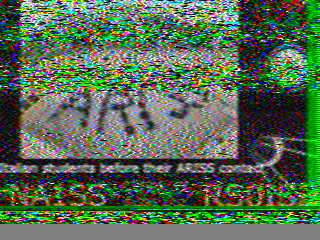
                ]]>
            </summary>
        <content type="html">
            <![CDATA[
                <p>It's ISS SSTV time again. This event runs from 09:00 UTC on October 2nd to 15:55 UTC on October 6th. It was a bit of a struggle getting set up for this due to building work but with everything turned on nothing worked! The TS2000X is now attached to a Windows 11 PC and I am still sorting things out. SATPC32 would not play ball. I tried GPredict with similar issues - not the fault of the software, just me being in a rush because I had actually forgotten about the SSTV event.</p>
<p>I then downoaded SkyRoof. I did look at this a while ago but never got any further. With the Hamlib package loaded it surprised me by tuning the TS2000X with no fuss at all. The package is designed to work with an SDR and I will investigate that later but for now it was ideal. But...</p>
<p>...no audio. Ok, so the audio comes out of the radio (of course!) but wasn't ending up anywhere useful. I run three systems all interconnected by a mixer and splitter. The plan was to run qsstv on the Linux box and use SkyRoof to do the doppler stuff. It turned out that when I was tidying everything up I had inadvertently connected the PC input to one of the mixer input channels instead of a splitter output channel. Useful.</p>
<p>With the cable in the right place things then worked but I missed that ISS pass. But at least I was ready for the next one.</p>
<p>Oh yes and I was rather surprised when SkyRoof talked to me! It announces when satellites are coming into view.</p>
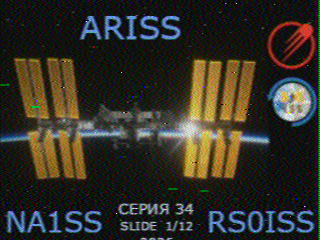
<p>The first image was at 14:39 on the 2nd and turned out as a good clean copy.</p>
<figure class="post__image"><img loading="lazy"  src="https://m0rvb.radio/media/posts/370/R36_20261002_143906.png" alt="A SSTV image from the ISS " width="320" height="240" sizes="(max-width: 1920px) 100vw, 1920px" srcset="https://m0rvb.radio/media/posts/370/responsive/R36_20261002_143906-xs.png 640w ,https://m0rvb.radio/media/posts/370/responsive/R36_20261002_143906-sm.png 768w ,https://m0rvb.radio/media/posts/370/responsive/R36_20261002_143906-md.png 1024w ,https://m0rvb.radio/media/posts/370/responsive/R36_20261002_143906-lg.png 1366w ,https://m0rvb.radio/media/posts/370/responsive/R36_20261002_143906-xl.png 1600w ,https://m0rvb.radio/media/posts/370/responsive/R36_20261002_143906-2xl.png 1920w"></figure>
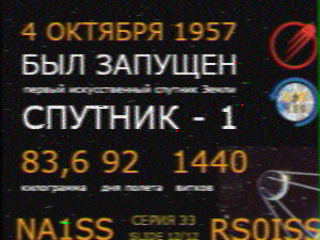
<p>The next was 14:41 on the same pass. Not too bad apart from a couple of drop-outs.</p>
<figure class="post__image"><img loading="lazy"  src="https://m0rvb.radio/media/posts/370/R36_20261002_144145.png" alt="A SSTV image from the ISS " width="320" height="240" sizes="(max-width: 1920px) 100vw, 1920px" srcset="https://m0rvb.radio/media/posts/370/responsive/R36_20261002_144145-xs.png 640w ,https://m0rvb.radio/media/posts/370/responsive/R36_20261002_144145-sm.png 768w ,https://m0rvb.radio/media/posts/370/responsive/R36_20261002_144145-md.png 1024w ,https://m0rvb.radio/media/posts/370/responsive/R36_20261002_144145-lg.png 1366w ,https://m0rvb.radio/media/posts/370/responsive/R36_20261002_144145-xl.png 1600w ,https://m0rvb.radio/media/posts/370/responsive/R36_20261002_144145-2xl.png 1920w"></figure>
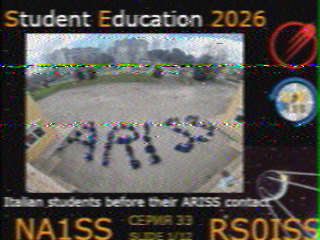
<p>This next one was from 16:14. There is more noise present but still pretty clean.</p>
<figure class="post__image"><img loading="lazy"  src="https://m0rvb.radio/media/posts/370/R36_20261002_161438.png" alt="A SSTV image from the ISS " width="320" height="240" sizes="(max-width: 1920px) 100vw, 1920px" srcset="https://m0rvb.radio/media/posts/370/responsive/R36_20261002_161438-xs.png 640w ,https://m0rvb.radio/media/posts/370/responsive/R36_20261002_161438-sm.png 768w ,https://m0rvb.radio/media/posts/370/responsive/R36_20261002_161438-md.png 1024w ,https://m0rvb.radio/media/posts/370/responsive/R36_20261002_161438-lg.png 1366w ,https://m0rvb.radio/media/posts/370/responsive/R36_20261002_161438-xl.png 1600w ,https://m0rvb.radio/media/posts/370/responsive/R36_20261002_161438-2xl.png 1920w"></figure>
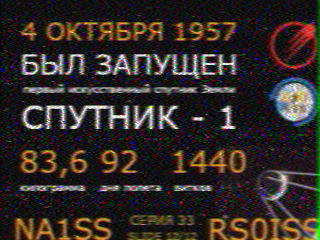
<p>The last image was 17:52 and was rather surprising as the ISS was only around 5 degrees above the horizon. There was one more in that pass but only a partial decode and at 3 degrees.</p>
<figure class="post__image"><img loading="lazy"  src="https://m0rvb.radio/media/posts/370/R36_20261002_175253.png" alt="A SSTV image from the ISS " width="320" height="240" sizes="(max-width: 1920px) 100vw, 1920px" srcset="https://m0rvb.radio/media/posts/370/responsive/R36_20261002_175253-xs.png 640w ,https://m0rvb.radio/media/posts/370/responsive/R36_20261002_175253-sm.png 768w ,https://m0rvb.radio/media/posts/370/responsive/R36_20261002_175253-md.png 1024w ,https://m0rvb.radio/media/posts/370/responsive/R36_20261002_175253-lg.png 1366w ,https://m0rvb.radio/media/posts/370/responsive/R36_20261002_175253-xl.png 1600w ,https://m0rvb.radio/media/posts/370/responsive/R36_20261002_175253-2xl.png 1920w"></figure>
<p>I will update this page as the event progresses assuming there are better or different images.</p>
            ]]>
        </content>
    </entry>
    <entry>
        <title>Wavelog (updated)</title>
        <author>
            <name>M0RVB</name>
        </author>
        <link href="https://m0rvb.radio/logging-updates.html"/>
        <id>https://m0rvb.radio/logging-updates.html</id>
            <category term="logging"/>
            <category term="Wavelog"/>

        <updated>2026-09-30T14:20:10+01:00</updated>
            <summary type="html">
                <![CDATA[
                    I have just installed Wavelog (https://www.wavelog.org/) which is a self-hosted QSO logging application, all web-based PHP with a MySQL backend plus a lot more. It's that last bit - the 'lot more' which has somewhat turned me off from installing any kind of decent logging package as when I checked, admittedly a long time ago there was simply too much noise. Packages were simply filled with too many options for my poor old brain and after looking a while I just settled on using qrz.com for all my QSO logging. But, of course, things change with time. Plus that is not intended as a criticism of any other package... it's just me. I wrote simple PHP scripts to send the latest QSO from each rig PC to qrz.com plus more to query eQSL. Another script pulls from qrz.com and populates wsjt-x's logging. I made my own logging program and database which did just what I needed, and then added more complexity to record QSL cards etc. and for WAB awards. I ended up with a suite of scripts with qrz.com being the master database. Logging to LoTW was via qrz.com not direct. You can see it ended up a bit of a muddle, but it did just what I needed just how I wanted. But I was drawn to Wavelog. And so, seeing it was raining plus I had to remain at home due to building work I installed it. There is a Docker version and a normal LAMP one, the latter being ideal for me. Installation was very quick with excellent instructions assuming you know sufficient Linux stuff and have the required access etc. Priming it with all my QSOs from qrz.com was simply a matter of exporting to ADIF and importing that - you do need to relevant subscription to qrz.com for this but I am a life member so no issue. It integrates to LoTW as well and has an option to quickly send new QSOs to qrz.com and to LoTW - and eQSL, HRD, Clublog and others. There is still a lot for me to learn but it is pretty intuitive. For example, it has a series of awards and includes WAB - for that to populate it is necessary to edit the SIG field (Wavelog tells you this) and then Wavelog has a useful map of WAB squares logged. I added all those at the database level (carefully and with a good backup!) which worked fine. As I tend to concentrate on FT4 and 8 using wsjt-x once I got my head around the documentation both rigs are logging into Wavelog. The tx power field caught me out as I specified 25W on one rig and just 25 on the other, the latter working fine. Early days - but Wavelog feels ideally suited to me, or I to it, plus it offers a whole lot more without ramming it in your face.
                ]]>
            </summary>
        <content type="html">
            <![CDATA[
                <p>I have just installed Wavelog (<a href="https://www.wavelog.org/">https://www.wavelog.org/</a>) which is a self-hosted QSO logging application, all web-based PHP with a MySQL backend plus a lot more.</p>
<p>It's that last bit - the 'lot more' which has somewhat turned me off from installing any kind of decent logging package as when I checked, admittedly a long time ago there was simply too much noise. Packages were simply filled with too many options for my poor old brain and after looking a while I just settled on using qrz.com for all my QSO logging. But, of course, things change with time. Plus that is not intended as a criticism of any other package... it's just me.</p>
<p>I wrote simple PHP scripts to send the latest QSO from each rig PC to qrz.com plus more to query eQSL. Another script pulls from qrz.com and populates wsjt-x's logging. I made my own logging program and database which did just what I needed, and then added more complexity to record QSL cards etc. and for WAB awards. I ended up with a suite of scripts with qrz.com being the master database. Logging to LoTW was via qrz.com not direct. You can see it ended up a bit of a muddle,  but it did just what I needed just how I wanted.</p>
<p>But I was drawn to Wavelog. And so, seeing it was raining plus I had to remain at home due to building work I installed it. There is a Docker version and a normal LAMP one, the latter being ideal for me. Installation was very quick with excellent instructions assuming you know sufficient Linux stuff and have the required access etc.</p>
<p>Priming it with all my QSOs from qrz.com was simply a matter of exporting to ADIF and importing that - you do need to relevant subscription to qrz.com for this but I am a life member so no issue. It integrates to LoTW as well and has an option to quickly send new QSOs to qrz.com and to LoTW - and eQSL, HRD, Clublog and others.</p>
<p>There is still a lot for me to learn but it is pretty intuitive. For example, it has a series of awards and includes WAB - for that to populate it is necessary to edit the SIG field (Wavelog tells you this) and then Wavelog has a useful map of WAB squares logged. I added all those at the database level (carefully and with a good backup!) which worked fine.</p>
<p>As I tend to concentrate on FT4 and 8 using wsjt-x once I got my head around the documentation both rigs are logging into Wavelog. The tx power field caught me out as I specified 25W on one rig and just 25 on the other, the latter working fine.</p>
<p>Early days - but Wavelog feels ideally suited to me, or I to it, plus it offers a whole lot more without ramming it in your face.</p>
            ]]>
        </content>
    </entry>
    <entry>
        <title>Wifi woes...</title>
        <author>
            <name>M0RVB</name>
        </author>
        <link href="https://m0rvb.radio/wifi-woes.html"/>
        <id>https://m0rvb.radio/wifi-woes.html</id>
            <category term="wifi"/>

        <updated>2026-09-23T13:09:02+01:00</updated>
            <summary type="html">
                <![CDATA[
                    We currently have three Netgear wifi Access Points connected in what they term an ensemble. These have worked fine for some time and give coverage across the house. All are PoE powered. I am currently repositioning them to see if we can do with just two of even one as the setup here is overly complicated now. I wanted one for the various radio bits and bobs to keep them all separate. So, off to Amazon and a TP-Link WA1201 arrived. This says PoE but would not work. But it's "passive PoE" and I must admit I had never heard of that so just relied on the "PoE" bit. Now I know more! In future I will read more closely and check that when a manufacturer says PoE they actually mean IEEE 802.3af or later standards. In this particular case it does not matter as the AP will be installed on the wall in the shack and there is a power socket nearby. It's just a little annoying as it means another wall-wart and potential noise source. But the AP is 12V so I can always power it from a regulated power supply. Live and learn...
                ]]>
            </summary>
        <content type="html">
            <![CDATA[
                <p>We currently have three Netgear wifi Access Points connected in what they term an ensemble. These have worked fine for some time and give coverage across the house. All are PoE powered. I am currently repositioning them to see if we can do with just two of even one as the setup here is overly complicated now.</p>
<p>I wanted one for the various radio bits and bobs to keep them all separate. So, off to Amazon and a TP-Link WA1201 arrived. This says PoE but would not work. But it's "passive PoE" and I must admit I had never heard of that so just relied on the "PoE" bit.</p>
<p>Now I know more!</p>
<p>In future I will read more closely and check that when a manufacturer says PoE they actually mean <span data-sd-animate="true">IEEE</span> <span data-sd-animate="true">802.3af</span> or later standards.</p>
<p>In this particular case it does not matter as the AP will be installed on the wall in the shack and there is a power socket nearby. It's just a little annoying as it means another wall-wart and potential noise source. But the AP is 12V so I can always power it from a regulated power supply.</p>
<p>Live and learn...</p>
<p> </p>
            ]]>
        </content>
    </entry>
</feed>